New to Helbreath
Your account and your character
After this page you will know how to make an account, verify your email, and make your first character.
Make your account
An account is your box. Your characters live inside it. You can keep up to six characters in one account.
Once the game is open, you land on the main menu. It has three buttons: Log In, New Account and Exit. Press New Account.
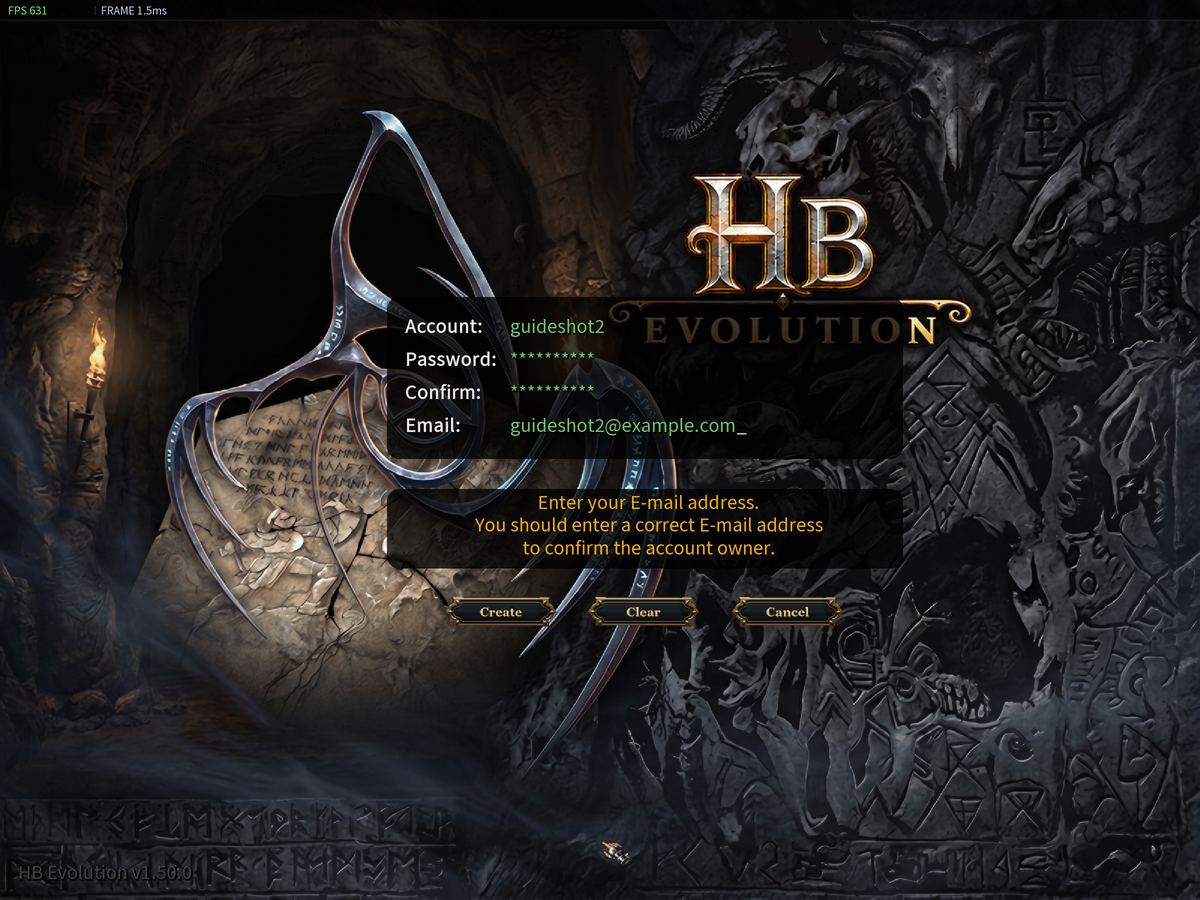
- Account: your login name. Letters and numbers only, 10 at most.
- Password: 8 to 32 characters, with at least one letter and one number. Do not use your account name as your password.
- Confirm: type the password again.
- Email: use a real one that you can open.
When it works you see New account created. Now press Log In and type your account name and password.
Verify your email
Open your email and click the link in the message from Helbreath Evolution. That is all.
If you forget, the game reminds you. A small window called Email Verification stays at the top of the screen. It has two buttons, Resend Email and Open Website. Both open your web browser. When you finish, the window goes away by itself. You do not need to leave the game.
Make your character
Press Create New Character.
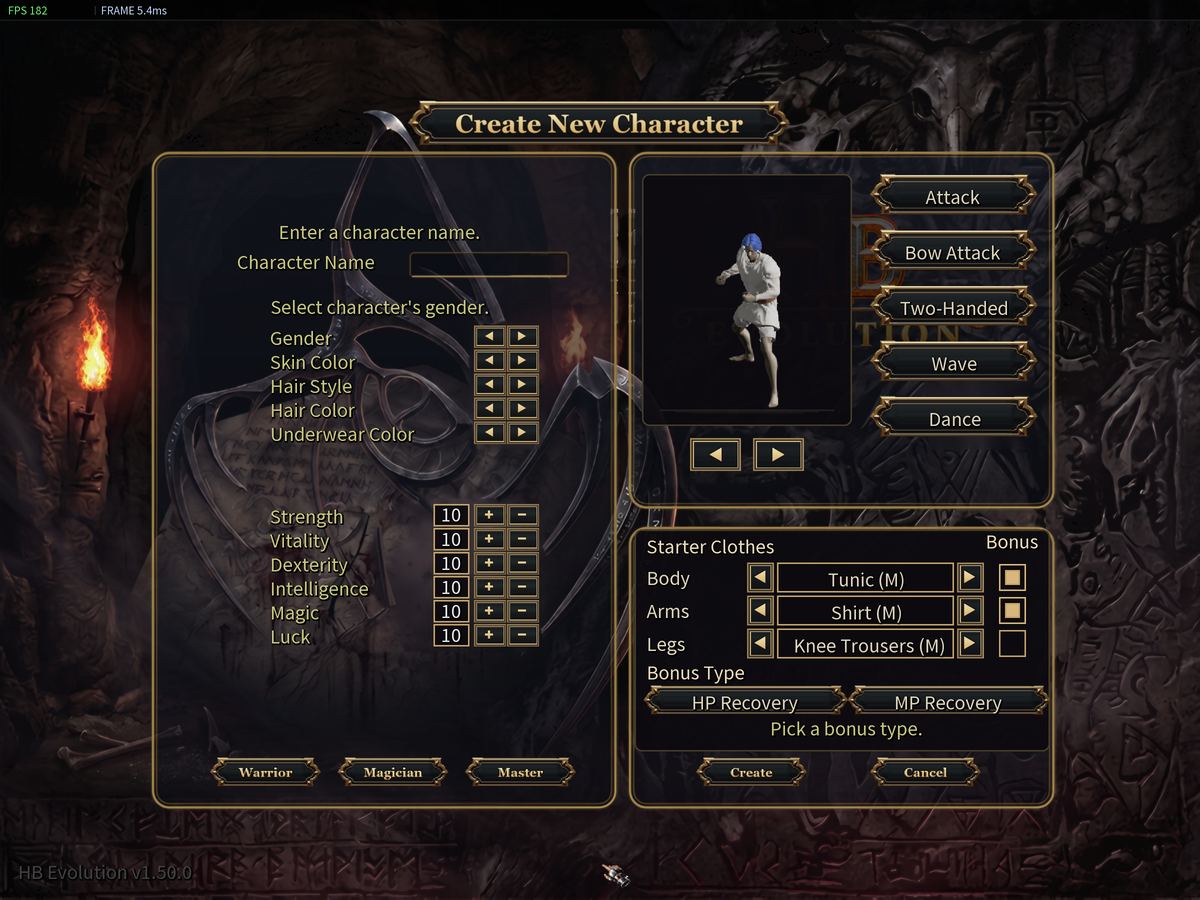
- Character Name: up to 10 letters or numbers. No spaces and no symbols.
- Gender, Skin Color, Hair Style, Hair Color, Underwear Color: pick what you like. It changes how you look and nothing else.
- The six stats. Stats are numbers that say what your hero is good at. Do not worry about them yet.
- Warrior, Magician or Master. You must press one. It sets your stats for you and decides your first weapon. A Warrior fights up close with a sword. A Magician casts spells and already knows three of them. A Master starts with a sword too.
- Starter Clothes. Pick one piece for Body, Arms and Legs. Two of the three pieces carry a bonus. The Bonus column shows which two.
- Bonus Type. You must pick one: HP Recovery or MP Recovery. HP Recovery makes your health come back faster. MP Recovery does the same for your mana. Both also give you a little extra experience. Fighting with a sword? Take HP Recovery. Casting spells? Take MP Recovery.
- Press Create.
Now pick your character and press Start.
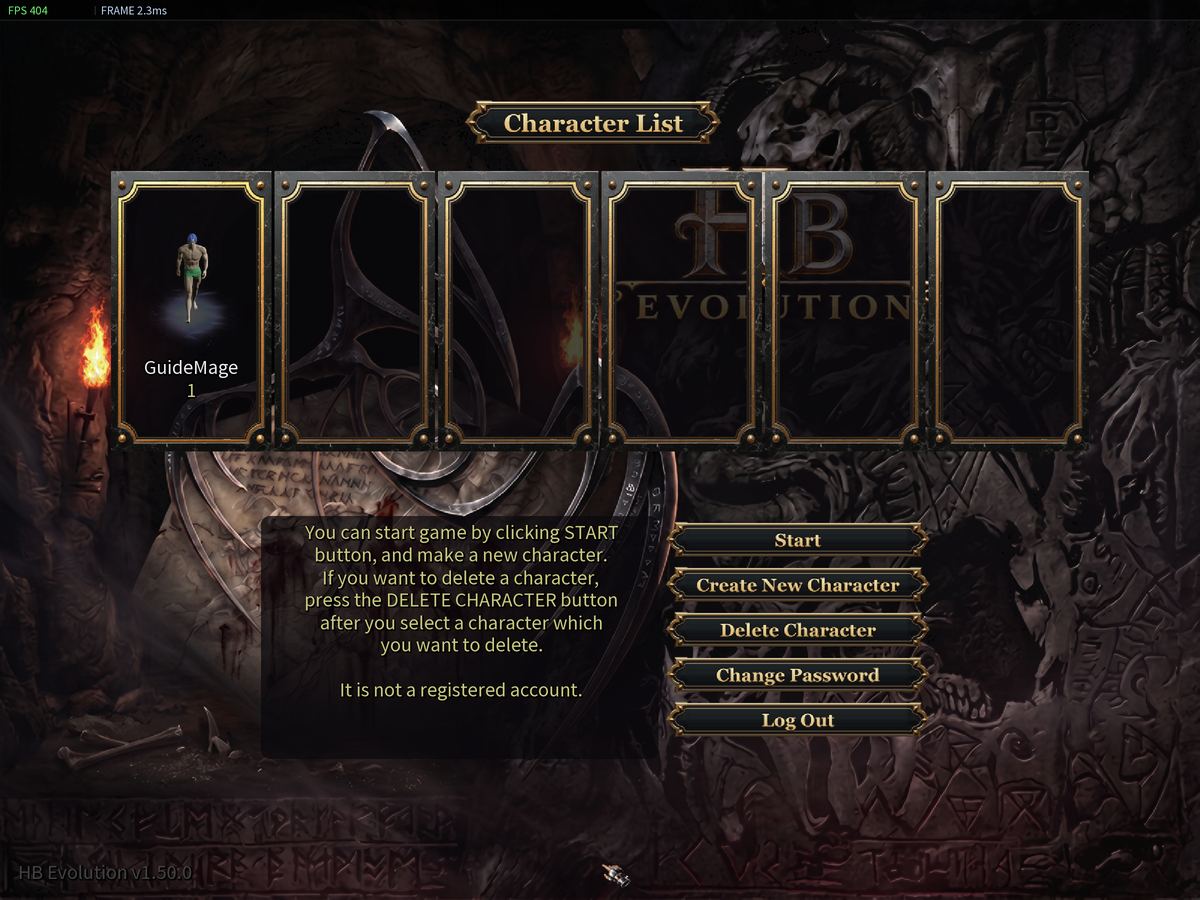
The first time you enter, a window called Before you begin asks how much you know. Choose I have never played.
Try it now
- Make your account and click the link in your email.
- Make a Warrior.
- Press Start and choose I have never played.