New to Helbreath
Items and money
After this page you will know how to use your bag, wear gear, buy, sell, repair, and keep things safe.
Your bag
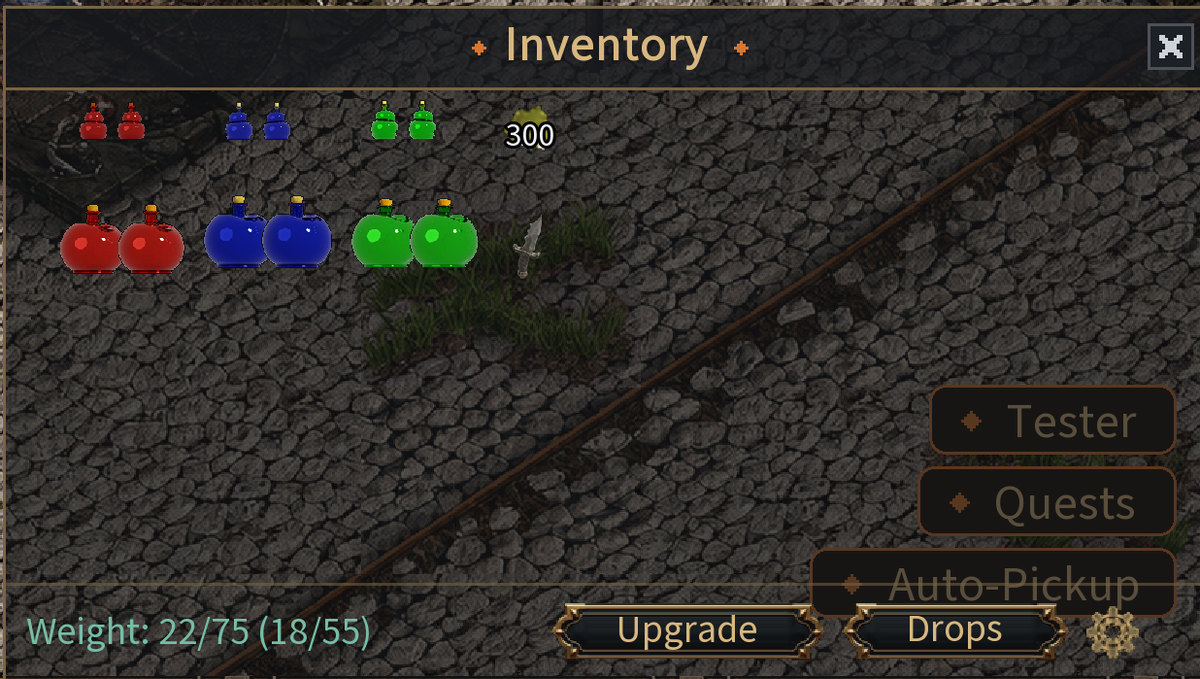
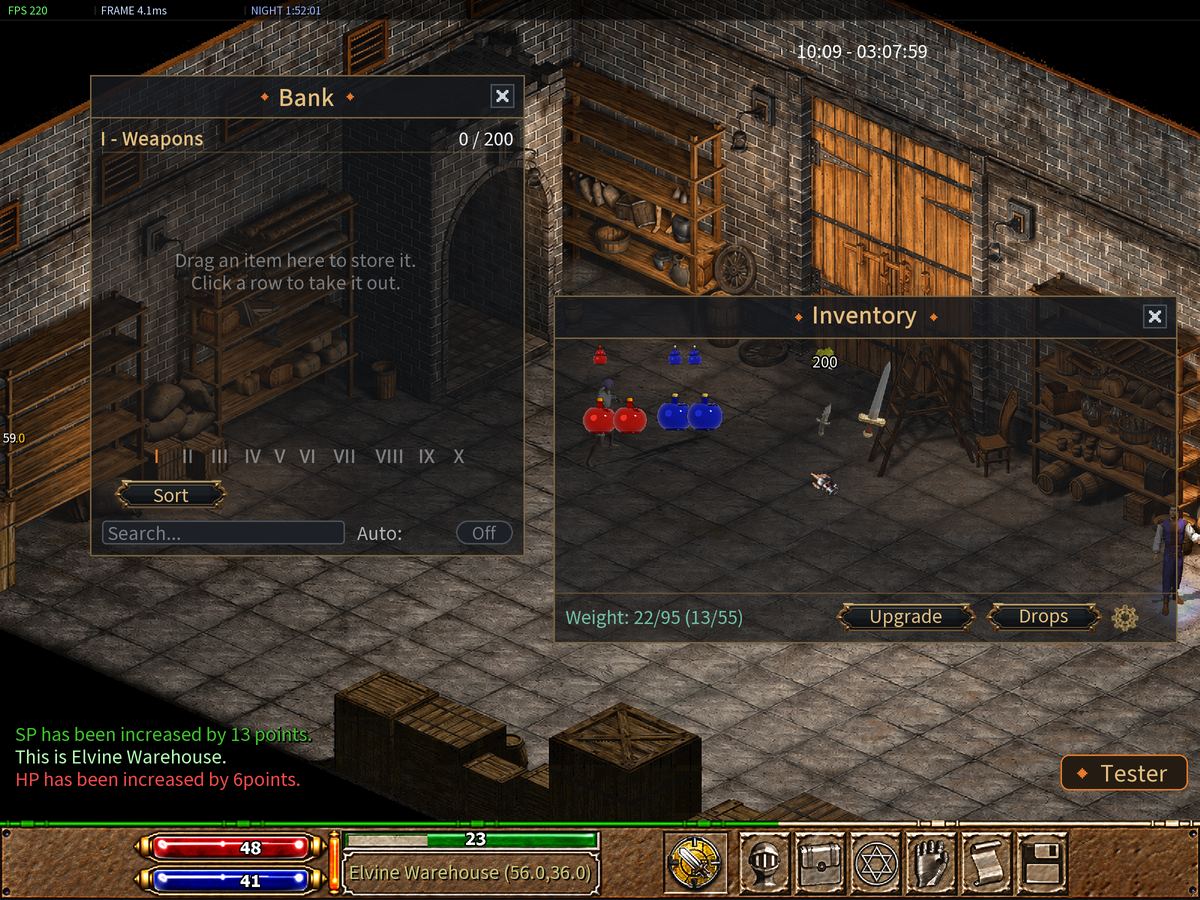
Press F6 to open Inventory. It holds 55 things. Gold is one of them. Gold is the money of the game.
At the bottom you see Weight. Everything you carry weighs something. If you carry too much, you cannot pick up or buy anything else.
Wearing and using things
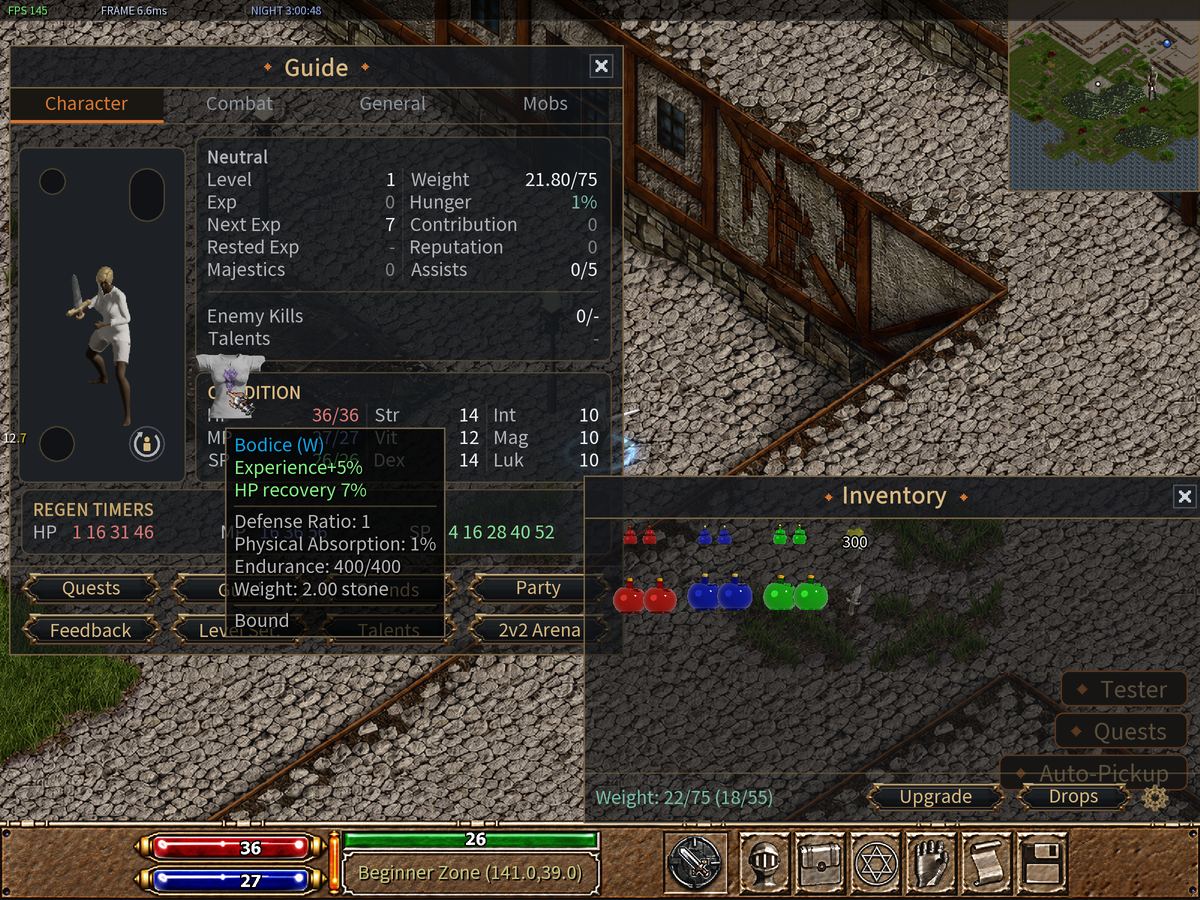
- To wear something: Double Click it in your bag. Weapons, armor, clothes.
- To take it off: open Character with F5 and Double Click the piece on your hero.
- To use something: Double Click it. Food and potions work this way.
- To throw something away: drag it out of your bag onto the ground. The game asks Are you sure to drop away this item?
You can also drag an item from your bag onto your hero in the Character window.
The best loot waits in a list
Rare things do not fall on the floor where someone could take them. They go to your own list. Open your bag and press Drops. Click an item there to claim it.
The color of a name
| Name color | What it means |
|---|---|
| White | A normal item |
| Gray | A well-made item |
| Light blue | Magic — it has a bonus |
| Purple | Epic — a strong bonus |
| Orange | Unique — very rare |
Shops
People in the game who are run by the computer are called NPCs. Click one and a small menu called Select Action opens.
| Who | Where | What they do |
|---|---|---|
| Marigold | the Shop | Sells food, potions and clothes |
| Tom | the Blacksmith | Sells weapons and armor, and repairs |
| Sorcerer | the Magic Tower | Teaches spells |
| Warehouse Keeper | the Warehouse | Keeps your things safe |
Your farm has all four. Your city has them too.
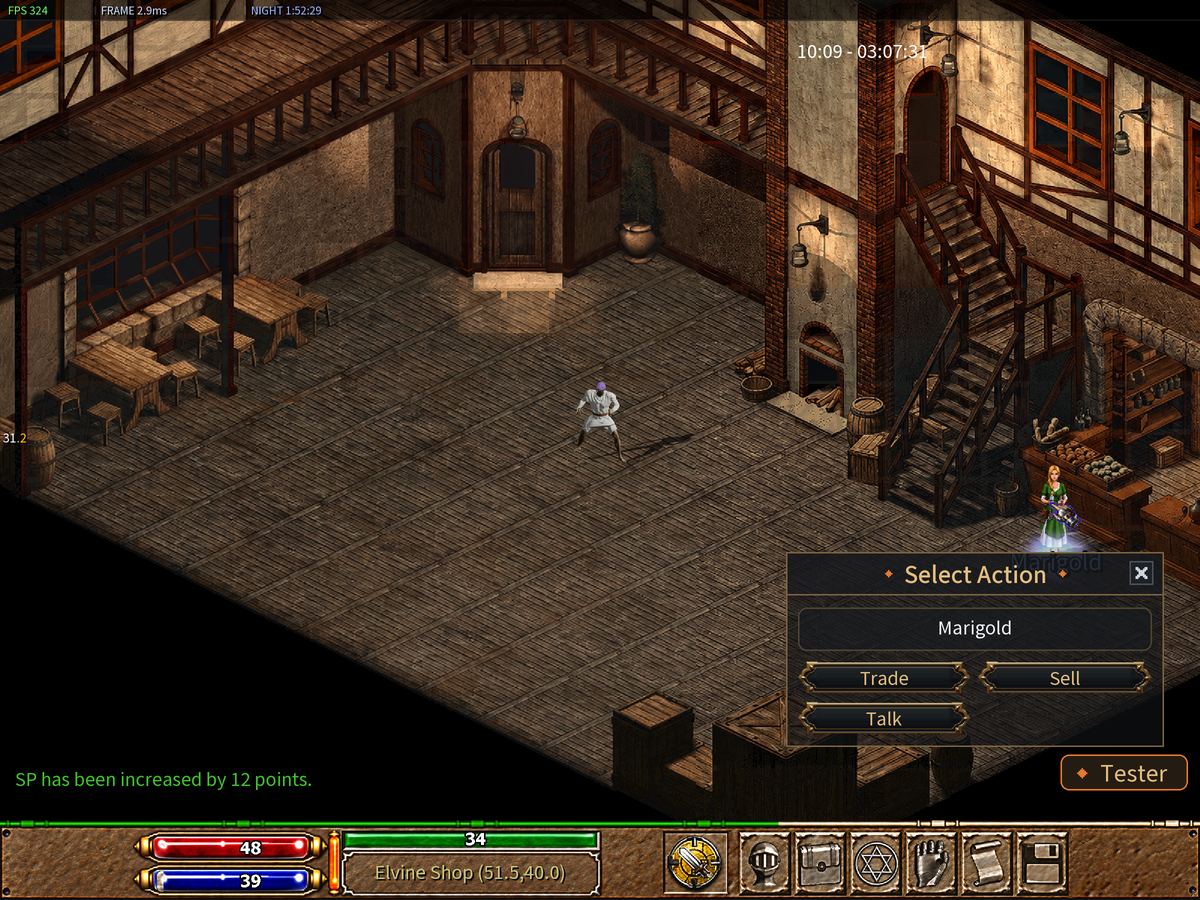
- To buy: choose Trade. The Store window opens. Pick an item and press Buy.
- To sell: choose Sell. The Sell window opens. Double Click the things in your bag you want to sell, or drag them into the window. You can list up to 12 things at once. Put one in by mistake? Click its name in the list and it goes back. When the list is right, press the Sell button. Cancel closes the window and sells nothing.
Repairing
Your gear wears out as you fight. When a piece is fully worn out it falls off you, and you cannot wear it again until it is fixed.
Only Tom repairs. Click him and choose Repair All.
The warehouse
The Warehouse Keeper holds up to 200 items for you. Nothing in there is ever lost, even if you die.
- Click the Warehouse Keeper and choose Warehouse. The Bank window opens.
- To put something in, Double Click it in your bag. You can also drag it into the Bank window.
- To take something out, Left Click its row in the Bank window. One click is enough, and there is no confirm button. It goes straight to your bag.
Try it now
- Press F6 and find your gold.
- Take your weapon off, then put it back on.
- In the farm, visit Marigold and open Trade.
- Visit the Warehouse Keeper and store one potion.