New to Helbreath
Fighting
After this page you will know how to hit a monster, and why sometimes your hit does nothing.
First: get ready to fight
Your hero has two moods.
- Peace. You are relaxed. You cannot hurt anything.
- Combat. You are ready. Now your clicks are hits.
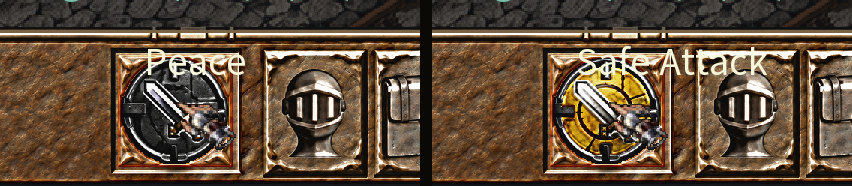
Press Tab to switch. The round button on your bottom bar switches too. Clicking that button does the same as Tab.
Put your mouse on the round button to see which mood you are in. In peace it says Peace. In combat it says Safe Attack. Do not let the name confuse you: Safe Attack means you are in combat, with a safety switch turned on. The switch is explained further down this page.
Hitting a monster
- Press Tab so you are in combat.
- Left Click the monster.
Your hero walks up to it and starts swinging. Keep clicking until it falls.
Players call a monster a mob. When a mob dies, you get experience — the points that make you gain levels — and sometimes it drops loot.
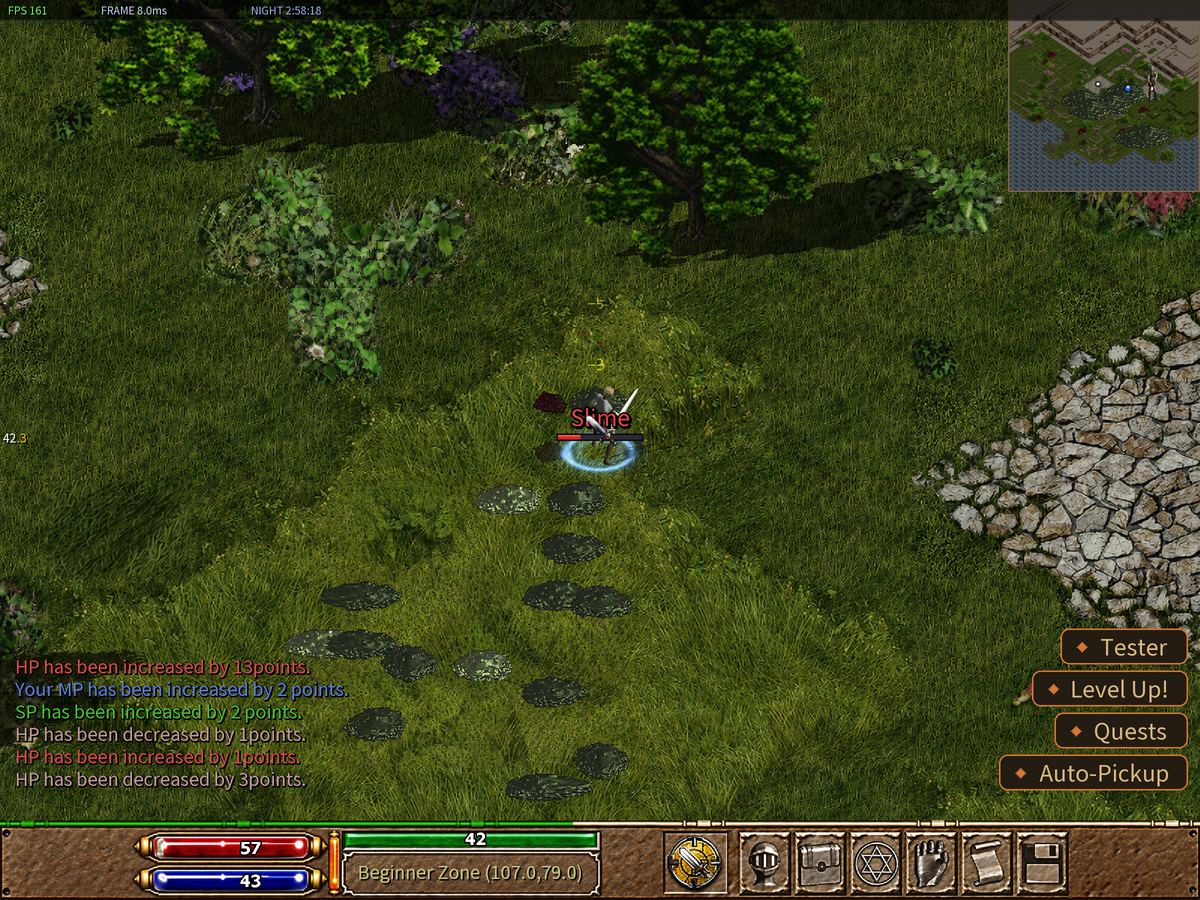
A normal hit only reaches a monster that is right next to you. If you click a monster far away, your hero walks to it first.
Hit without walking
Sometimes you do not want to step forward. Right Click a monster next to you and your hero hits it without moving. It is the safe way to fight when more monsters are close.
The big hit
Hold Alt and click a monster. Your hero does a heavy blow. It is stronger and it reaches further.
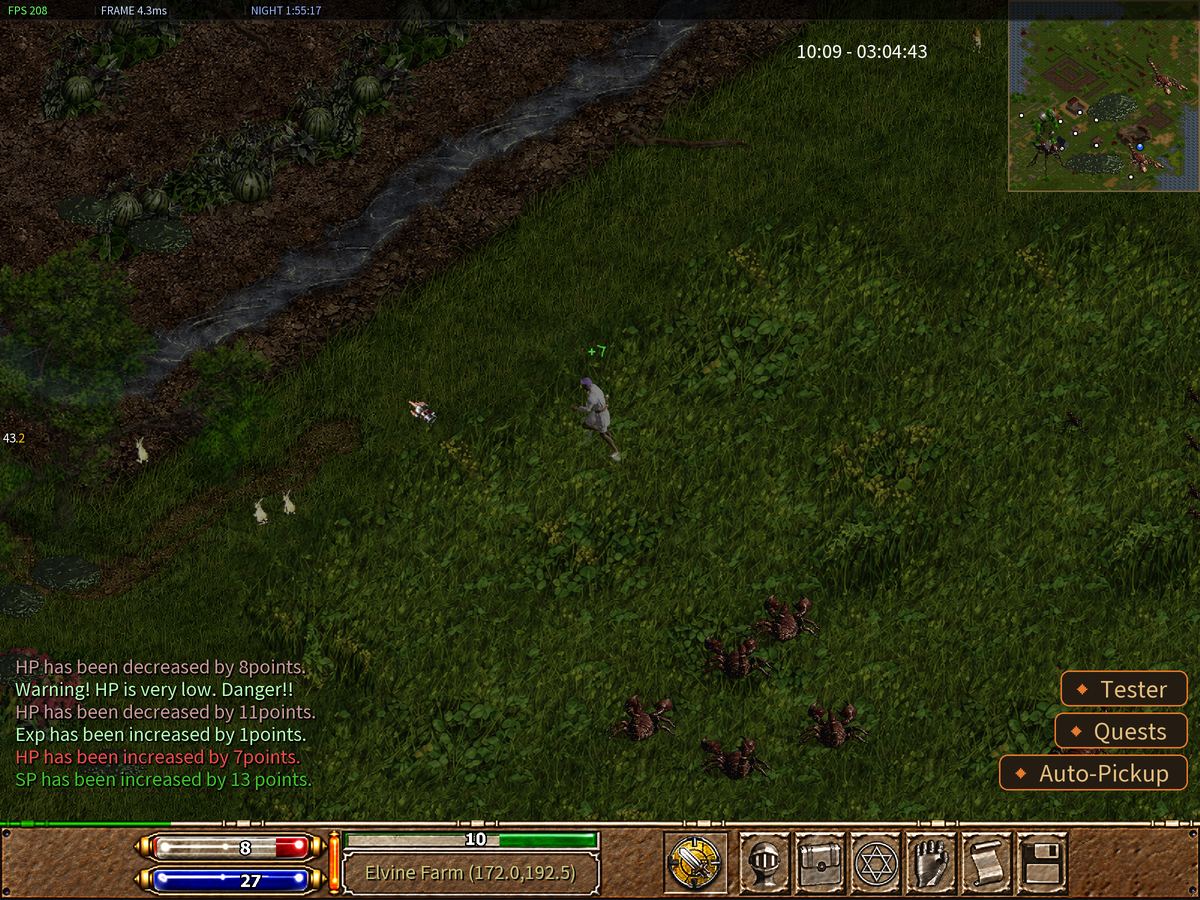
Each heavy blow spends one point from a small store. The points come back by themselves, slowly. You earn room for more of them as you level up.
When your hits miss
A hit can miss. Two things make you miss more:
- Your green bar is empty. No stamina, weak arms.
- You are very hungry. The thin standing bar is almost empty.
Fix those two first. If you still miss a lot, more Dexterity helps.
Staying safe
Safe Attack is not a third mood. It is a safety switch that works while you are in combat. It stops you from hitting someone who is not a real enemy. It is already on when you start. That is why the round button says Safe Attack when you are in combat. Press Home or 4 to turn it off or on. With it off, the button says Attack.
Other players
A normal click never hits another player. If you really mean to attack a player, hold Ctrl and click them.
If it goes badly
Walk away. Monsters will chase you, but you can run. Drink a potion with 1. If your red bar reaches zero, you die — the Health, mana and stamina page tells you what that costs.
Try it now
- Find a Slime. It is the weakest monster in the game.
- Click it in peace. Nothing happens.
- Press Tab and click it again.
- Hold Alt and click the next one.