New to Helbreath
Playing with others
After this page you will know how to talk, how to team up, and when another player can hurt you.
Every other hero you see is a real person.
Talking
Press Enter, type, and press Enter again. People near you can read it.
To talk further away, start your line with a symbol:
| Start with | Who reads it |
|---|---|
| nothing | People near you (Local) |
| ! | Global — everyone. You must be above level 10. |
| ~ | Nation — your whole city. You must be level 2 or higher. |
| $ | Party — your team |
| @ | Guild — your guild. You must be level 2 or higher. |
| % | Trade — buying and selling. You must be level 2 or higher. |
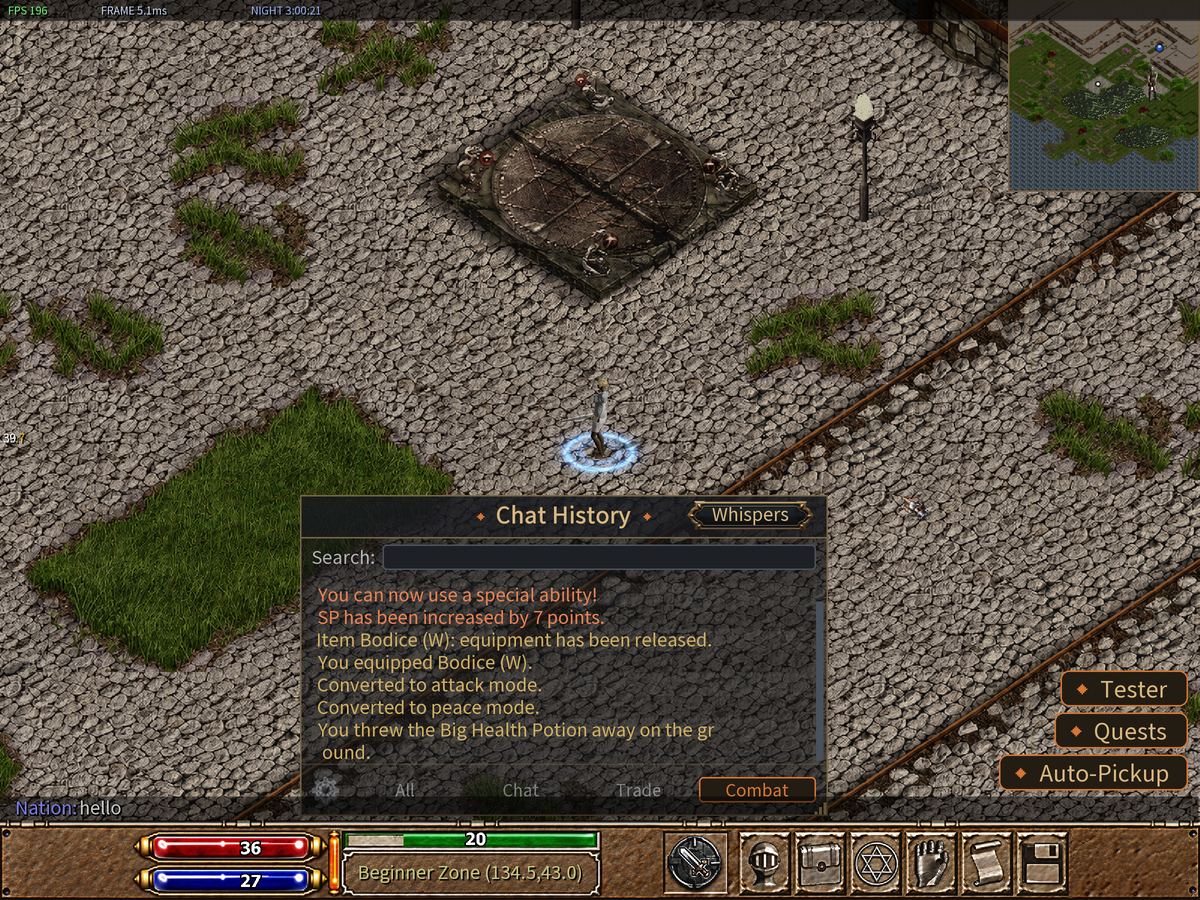
The symbol does not stay on your line. The game swaps it for the name of the channel. Type ~ and your line now starts with Nation:. Then type your message.
The channel stays chosen for your next messages. To go back to talking to the people near you, press Backspace on the empty line. While typing, Tab moves to the next channel and Shift+Tab goes back, and the bar above the chat line shows which channel your message goes to.
To talk to one person in secret, type /to and their name, then press Enter. Everything you type next goes only to them. Type /to alone to stop. This is called a whisper.
Press F9 to open Chat History and read back what was said. The tabs All, Chat, Trade and Combat show one kind of message at a time. The Whispers button shows your secret talks.
When someone writes in another language, the message is translated into your language on its own — in Chat History, in the whisper window and in group chats. A small box at the end marks it, and pointing at the box shows what they really wrote. It is free for everyone. It pauses while you are away from the keyboard: when you come back, click the box on a message to translate it. Choose your language in the F12 menu, under Translate chat to my language: English, Spanish, Portuguese, French, Korean, Simplified Chinese, Russian, Polish, Japanese or Traditional Chinese. If you read another language well, mark it under Don't translate messages in and those messages reach you as they were written. On a very busy day the shared daily limit can run out: a notice then tells you translation is paused until the next day. The Profanity filter, also in F12 and on by default, covers insults in chat and in its translations with asterisks. Turning it off only changes what you see: insulting other players is still against the rules. Guild names are translated too: when you point at a player, a small grey line under the name of their guild shows it in your language, but only when the name means something. The Translate chat to my language option turns this on and off as well. Letters in your Mailbox, from other players and from the GM, are translated too when you open them, and the Original button shows what was written. With that option off, the Translate button translates a letter when you ask.
Teams: the party
A party is a team you form with other players, as small or as big as you need. You share the experience from the monsters you beat together. While Safe Attack is on you can never hit each other by accident; with it off, you can hit each other.
- Open F5 and press Party, or
- point your mouse at a player and press Ctrl+P.
To show your party what to hit, point at a monster or a player and press Middle Click. A mark appears over its head. Press again for the next one: Skull, Sword, Cross, Shield, Chain, Eye, Crown, Star. One more press takes it off. Your party sees it when the target is on their screen, and so does the Global Party. More on Commands & Hotkeys.
Friends
Open F5 and press Friends. Or point at a player and press Alt+F to send a friend request.
Guilds
A guild is a big club of players from your city. It has its own chat and its own storage. You need to be a citizen to join one. Guilds are made with the Guildhall Officer in your city.
Giving and trading
To give something to another player, drag it from your bag onto them. They have to be on your screen. A small menu offers Give and Exchange.
- Give hands it over. It is gone.
- Exchange opens a Trade window. You both put things in — up to 16 items each — and you both agree. Bound items cannot go in.
PvP: players fighting players
PvP means player versus player. Here is what you need to know.
- Until you join a city, you cannot hurt other players who have done nothing wrong.
- After you join a city, players from the other city are your enemies. They can attack you, and you can attack them.
- The color of a player's name tells you who they are:
- Red — an enemy. A player from the other city, or a criminal.
- Green — a friend. A player from your own city.
- Light blue — neutral. A player with no city yet. Before you join a city, almost everyone looks light blue to you.
- Orange — a game master, one of the people who run the game. A game master belongs to no city and has a gold ring under their feet.
- Being in your party or your guild does not change the color. A party member gets a small label under the name instead.
- Inside buildings, nobody can attack anybody.
- To attack a player you must hold Ctrl and click. A normal click never does it.
Beating an enemy who is far weaker than you earns you nothing. So strong players have less reason to hunt new ones — but they still can. Stay near your farm at first.
Stepping away
If you do not touch the game for three minutes, ZzZ appears over your hero. It tells others you are away. Move and it goes.
Do not walk away from your keyboard outside a building. A monster or an enemy will find you.
Be kind
Everyone here was new once. Say hello. Ask questions on Nation chat. Most players like to help.
Try it now
- Press Enter and say hello.
- When you reach level 2, type
~helloto greet your whole city. - Press F9 and read the chat.
- Ask someone to join a party with Ctrl+P.